Perfect Piano
- 4.2
- Rating
- 100.00M
- Installs
- Free
- Price

 Analysis by App-foxy
I find Perfect Piano most useful when I treat it as a practical pocket keyboard rather than a complete replacement for a real piano. It gives beginners a friendly way to explore notes, chords, melodies, and rhythm on a phone or tablet, while more experienced players can use it for quick practice ideas when a physical instrument is out of reach. After spending time with it, my main impression is simple: it is easy to start, surprisingly flexible for a free music app, and most enjoyable when you approach it with realistic expectations about touch-screen playing.
The app comes from Revontulet Soft and sits in the music and audio category. It is free to install, suitable for Everyone, and supports devices running Android 6.0 or later. Its current version is 7.9.6, and the large community around it is reflected in an average rating of 4.2 from around one million ratings, alongside more than a million written reviews. That kind of reach matters because it suggests this is not a tiny experimental keyboard that disappears after a few sessions; it has become a familiar option for people who want piano sounds and lessons close at hand.
Still, popularity does not remove the central limitation. A glass screen has no physical key travel, so it cannot reproduce the resistance, spacing, or expressive control of an acoustic piano or a quality digital keyboard. I would recommend it to someone starting out, composing casually, revising a melody, or looking for a low-pressure way to practice recognition. I would not choose it as the only tool for serious exam preparation or advanced performance technique.
You May Also Like

 Pandora - Music & Podcasts
Pandora’s Music Is Easy to Start, but Harder to Recover
Pandora’s strength is its low-effort path from a seed to a station. Its weak spot is how much confidence it asks you to place in connection, setup, and quiet recovery.

 AccuWeather: Weather Radar
AccuWeather Review: A Quick, Clear Forecast for Everyday Decisions
For everyday plans, the best forecast is the one you can understand quickly. AccuWeather makes rain timing, radar, and local conditions easy to act on, with a few trade-offs.

 Hill Climb Racing
Why Hill Climb Racing Still Turns Crashes Into One More Run
A tiny car, a bumpy hill and one more upgrade: Hill Climb Racing keeps resurfacing because its simple chaos makes every near-miss feel personal.

 AliExpress - Shopping App
AliExpress Makes Global Shopping Feel Personal, but Shoppers Bear the Risk
AliExpress turns a global marketplace into a pocket-sized discovery engine. Its reach is useful, its shopping loop compelling, and its trade-offs easy to miss.

 Lords Mobile: Kingdom Wars
Lords Mobile Is a Kingdom-Building Routine, Not a Quick Match
A case-by-case verdict on the building, battles, device demands, and social commitments that make Lords Mobile rewarding for some players and exhausting for others.

 PDF Scanner app - TapScanner
TapScanner Makes Paperwork Easier to Capture, Check, and Share
TapScanner makes scanning with a phone feel less like a rescue operation and more like a dependable step in getting work done. Its capture tools are useful, though not flawless.
More From Our News Desk
View All News


From installation to your first useful melody
I start by treating the first session as a chance to learn the screen, not as a test of musical ability. I’ll cover how to find a comfortable way to play, choose a manageable first phrase, and turn a few exploratory taps into a melody worth returning to. That practical setup also gives me a useful lens for judging what the app asks of me as I use it.
What to expect when you open it
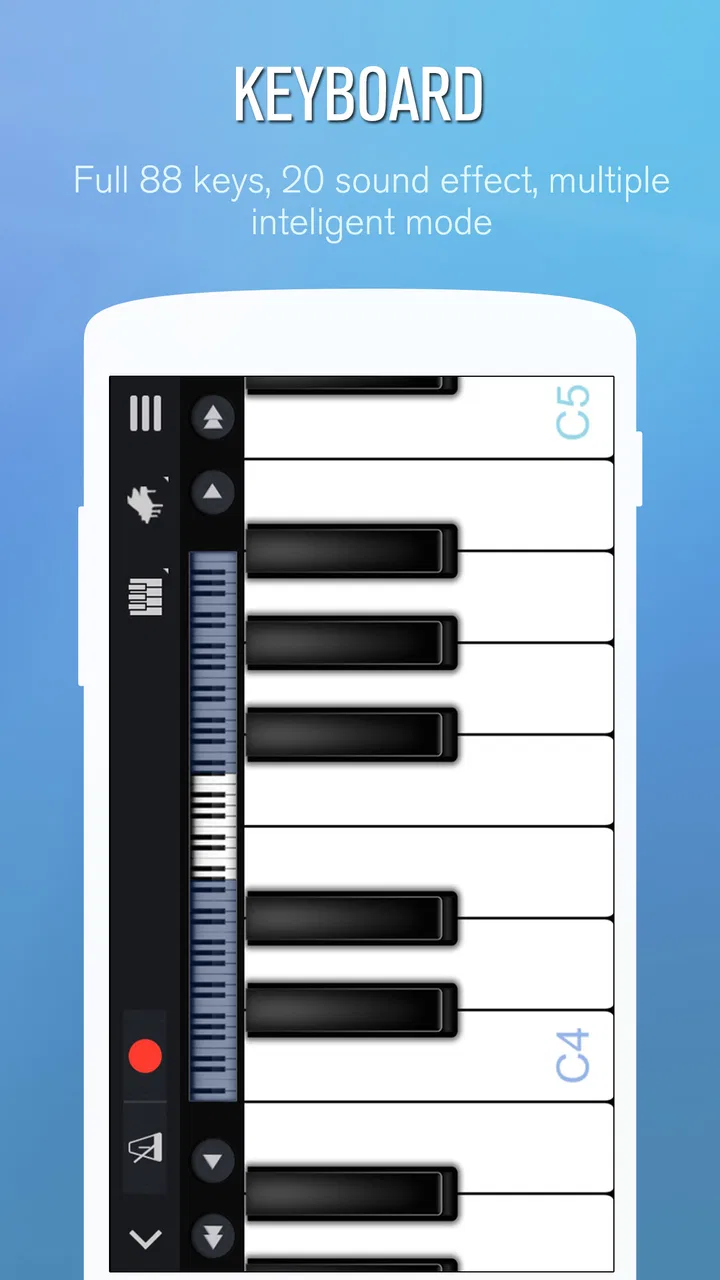
The first thing to understand is that this is more than a simple row of piano notes. Its identity is built around a smart piano keyboard, with room for different kinds of musical activity, from classical pieces to pop-oriented playing and connected multiplayer sessions. That range can be appealing, but it can also make the first few minutes feel busier than expected. I suggest resisting the urge to explore every mode immediately. Start with the keyboard itself and learn how the screen responds to a single note, a short scale, and a basic chord.
On a phone, the visible keys are naturally narrower than those on a tablet. I found a tablet much more comfortable for two-handed playing, while a phone works better for single-note lines, chord shapes, or short practice sessions. This is an important trade-off: the app is portable precisely because it fits into a small device, but the smaller display makes accuracy more demanding. If you are choosing between devices, screen size may affect your experience more than the app's sound selection.
The app is also better suited to immediate experimentation than to silent, private study. Tapping notes can be engaging, yet the result depends on your surroundings and on how carefully you control your fingers. I recommend using headphones when you want to concentrate, especially while repeating a difficult phrase. That makes the sound easier to judge and reduces the temptation to play too loudly in a shared room.
Setting up without getting lost
After installation, my advice is to spend a few minutes learning the layout before searching for a song. Find the central keyboard area, identify how you move across the available range, and test whether your finger lands cleanly on the intended key. Beginners often assume that the hardest part will be remembering note names. In practice, the first obstacle is usually physical: placing a fingertip accurately on a narrow digital key while keeping a steady rhythm.
A useful first exercise is to play a simple five-note pattern slowly, then repeat it while looking at your fingers less often. This teaches you how much of the screen each note occupies and exposes accidental touches early. If you immediately choose a complicated arrangement, mistakes can feel like a problem with your musical ability when they are really a matter of screen control. I made faster progress by treating the opening session as calibration rather than performance.
Do not judge the app by one rushed tap. Touch keyboards can feel awkward until your hands adjust to the spacing. I also found that posture matters: holding the phone in one hand while playing with the other is convenient, but placing it on a stable surface gives both hands a more predictable target. That small change can make chords and repeated notes noticeably less frustrating.
Because the app is free, it is easy to try without committing money at the start. There are optional in-app purchases ranging from $0.99 to $5.99 per item, so I would explore the basic workflow first and only consider spending after deciding whether the touch controls suit you. A free starting point is particularly valuable for parents, curious beginners, and anyone unsure whether piano practice will hold their attention beyond the first day.
Your first successful action should be small
For a first meaningful success, I recommend choosing a melody you already know by ear and playing only its opening phrase. Do not begin by trying to complete a full arrangement. Listen for the direction of the notes, locate them one at a time, and repeat the phrase until your hands stop hesitating. Recognizing a familiar tune is more encouraging than mechanically following a long sequence that has no personal meaning.
Once the notes are comfortable, add a simple left-hand pattern if the screen and your device allow it. Even a basic bass note can make the result feel more musical, but it also introduces a coordination challenge. My preferred progression is melody first, rhythm second, harmony third. Adding all three at once creates unnecessary confusion, particularly for someone who has never played a keyboard.
One detail that new users may overlook is the difference between knowing a song and knowing its keyboard route. Hearing a tune in your head does not automatically tell you which octave to use or how far your fingers must travel. I found it helpful to repeat the same phrase in a narrow range before moving it higher or lower. This creates a dependable hand map and reduces the number of corrections during a play-through.
The app's classical-to-pop breadth is useful here because it does not force every learner into one musical taste. A beginner who finds formal exercises dull may stay engaged with a familiar pop melody, while someone interested in traditional repertoire can use the same keyboard to explore slower, more structured phrases. The important point is to choose material that is short enough to finish. Completing a modest phrase teaches more than abandoning an ambitious piece.
Where the smart features help, and where they do not
The smart keyboard concept is most helpful when it reduces the distance between curiosity and action. You can test an idea, find a chord shape, or work out the beginning of a melody without setting up a full instrument. I especially like this for songwriting sketches. If a tune appears while I am away from a piano, a phone keyboard is enough to check whether the notes move in the direction I imagined. It is not the ideal place to polish the final arrangement, but it is a useful place to capture the first idea.
Real-time multiplayer connection adds a social angle that many basic virtual keyboards do not emphasize. I see this as a motivation feature rather than a substitute for a teacher. Playing with another person can make practice feel less isolated, and it may encourage a beginner to return after a frustrating session. At the same time, connected play can distract from fundamentals if you jump into it before learning the controls. I would first become comfortable with individual notes and timing, then use multiplayer as a way to make practice more enjoyable.
A further trade-off is that connected interaction depends on your willingness to involve other people in the experience. Someone seeking a completely private metronome-like practice tool may prefer a simpler piano app. Someone who loses interest when practicing alone may find the social element more valuable than a larger collection of isolated exercises. The right choice depends less on technical ambition than on what keeps you playing consistently.
Common confusion during the first sessions
The most common confusion is expecting the app to behave exactly like a physical piano. On a real instrument, key size and resistance provide constant feedback. On a screen, the visual position does much of the work, and your fingertip can cover more than one target. If notes sound wrong even though you understand the melody, slow down and widen your attention to the key boundaries. This is usually a coordination issue, not a musical one.
Another source of frustration is trying to use two hands before establishing a reliable rhythm with one. Beginners often focus so closely on finding the next note that the beat disappears. I suggest tapping the rhythm on a table first, then playing the melody at a slower pace. This separates timing from note selection and gives you a clearer way to diagnose mistakes.
It is also easy to confuse a successful run-through with genuine learning. If you follow a sequence while staring at every instruction, you may finish it but still be unable to begin again independently. After completing a phrase, close your visual reference for a moment and see whether you can recall the first few notes. This small test turns passive following into active memory practice, which is far more useful if your goal is to play without constant guidance.
Sound quality can create another false impression. A phone speaker may make notes seem thin or harsh, especially in a busy room. Before deciding that the app's piano sound is unsuitable, listen through headphones or a better speaker at a comfortable volume. Even then, remember that a virtual instrument is designed for convenience, not the full acoustic character of a concert piano. I would use it to learn and sketch, not to make a final judgment about how a piece should sound in a professional performance.
A practical routine for the first week
If I were introducing the app to a friend, I would suggest a short routine rather than an open-ended session. Begin with a few minutes of single-note warm-up, play one familiar phrase slowly, and finish by repeating the phrase without looking at every prompt. The goal is not to cover as much content as possible. It is to make the same small passage feel more controlled each time you return.
On the next session, change only one variable. You might keep the notes the same but improve timing, or keep the rhythm steady while adding a simple harmony. This approach makes progress visible and prevents the app from becoming a menu of unfinished experiments. It also helps you decide whether you enjoy learning through a touch interface before spending on optional items.
For parents or teachers introducing it to a child, I would set a concrete target such as identifying a short sequence of notes or replaying a familiar tune. Open exploration is fun, but a small finish line gives the session shape. The Everyone age rating makes the app approachable for a broad audience, though younger users may still benefit from an adult helping them understand that tapping quickly is not the same as playing accurately.
For an adult returning to music after years away, the app can remove the embarrassment of making mistakes in front of others. A realistic evening scenario would be practicing quietly after work: use a tablet on a table, review one melody, and record the finger route mentally by repeating it from memory. That is a better use of the app than trying to recreate a full concert performance on a small screen while tired.
When another option makes more sense
I would choose a physical or digital piano over this app when touch sensitivity, sustained technique, or two-handed range becomes central to your goal. A real keyboard gives you more dependable spacing and a physical response that teaches control in a way a flat screen cannot. If you are preparing for formal lessons or need to develop advanced dynamics, use this app as a backup practice surface rather than your main instrument.
I would also look elsewhere if your priority is a highly focused course with a strict lesson plan. Perfect Piano is appealing because it combines keyboard access, varied musical styles, and connected play, but that breadth may feel less directed than a dedicated tuition service. Conversely, a very basic piano simulator may be better for someone who wants nothing except a clean keyboard and no additional choices.
Its strongest position is between those extremes. It is more inviting than a bare note simulator and less demanding than a full learning setup. That makes it a good fit for testing an interest, working out a melody, adding variety to practice, or keeping music available during travel. The limitation is that convenience can encourage shallow sessions unless you give yourself a specific task.
My recommendation after using it
With over one hundred million installs, the app clearly reaches far beyond a small group of hobbyists, and I can understand why. The free entry point, broad musical appeal, and quick access to a playable keyboard make it easy to recommend to a beginner who wants to try piano without buying equipment first. Revontulet Soft has built something that feels approachable within minutes, yet offers enough room for more than random tapping.
My honest recommendation is to install it with one modest goal: learn a short melody, test a chord idea, or see whether regular practice feels enjoyable. Give the touch controls time to become familiar, use a larger screen when possible, and treat multiplayer as an optional source of motivation rather than the foundation of your learning. If you need professional technique, deep acoustic realism, or a carefully sequenced course, move to a physical keyboard or a more specialized tool.
For everyone else, the best way to enjoy Perfect Piano is to turn its convenience into a small, repeatable habit. Start with one phrase, improve one aspect at a time, and let the app prove its value through a real musical result rather than through the number of modes you explore. That is where this free music app feels most rewarding: not as a replacement for piano, but as an accessible first step that can keep an idea, a lesson, or a little curiosity alive.
FAQs for Perfect Piano
01What features does Perfect Piano offer for beginners?
Perfect Piano provides a range of features tailored for beginners, including a built-in guide that teaches you how to play songs step-by-step. It also offers a metronome to help with timing, multiple keyboard layouts, and a learning mode that adjusts to your pace. These tools make it easier for novices to start playing piano tunes effectively.
02Is Perfect Piano suitable for advanced players?
Yes, Perfect Piano caters to advanced players as well. It includes features like multi-touch support, MIDI connectivity for external keyboards, and the ability to record and playback performances. Advanced users can also explore various sound effects and customize the keyboard to suit their preferences, enhancing their practice and performance experience.
03Can I use Perfect Piano without an internet connection?
Perfect Piano can be used offline for many of its features, including playing the piano and accessing pre-downloaded songs. However, for features like downloading new songs from the online library or sharing your performances on social media, an internet connection is required. This flexibility allows users to practice anywhere, anytime.
04How does Perfect Piano help with music theory learning?
Perfect Piano includes features that assist with understanding music theory, such as displaying sheet music for songs you play and offering lessons on scales, chords, and more. This educational aspect is designed to improve your theoretical understanding of music while you practice, making it a comprehensive tool for learning piano.
05Are there any in-app purchases or subscriptions in Perfect Piano?
Perfect Piano offers a free version with a wide array of features. However, it also includes optional in-app purchases for additional songs and features, such as premium sound packs and ad-free experiences. These purchases are not mandatory, but they can enhance the app's functionality and user experience.
Pros
- Wide range of musical instruments available.
- Realistic sound quality enhances experience.
- Supports external MIDI keyboard connection.
- Offers multiplayer mode for duets online.
- Customizable keyboard size and layout.
Cons
- Ads can be intrusive during use.
- In-app purchases for advanced features.
- Requires internet for some functionalities.
- Limited free sheet music selections.
- Some features need a steep learning curve.

Perfect Piano
Gallery